BHARAT AI POS • HARDWARE & PAINTS

Hardware and Paint Store Billing Software

Handle boxes, pieces, kilograms and metres with a stock and billing process built around trade sales. Bharat AI POS combines unit conversions, contractor price lists, credit sales and customer outstanding with AI reorder suggestions, giving hardware retailers clearer information for the counter and purchasing desk.
● ● ●
Hardware and Paint Store Billing Software
CONCEPT PREVIEW

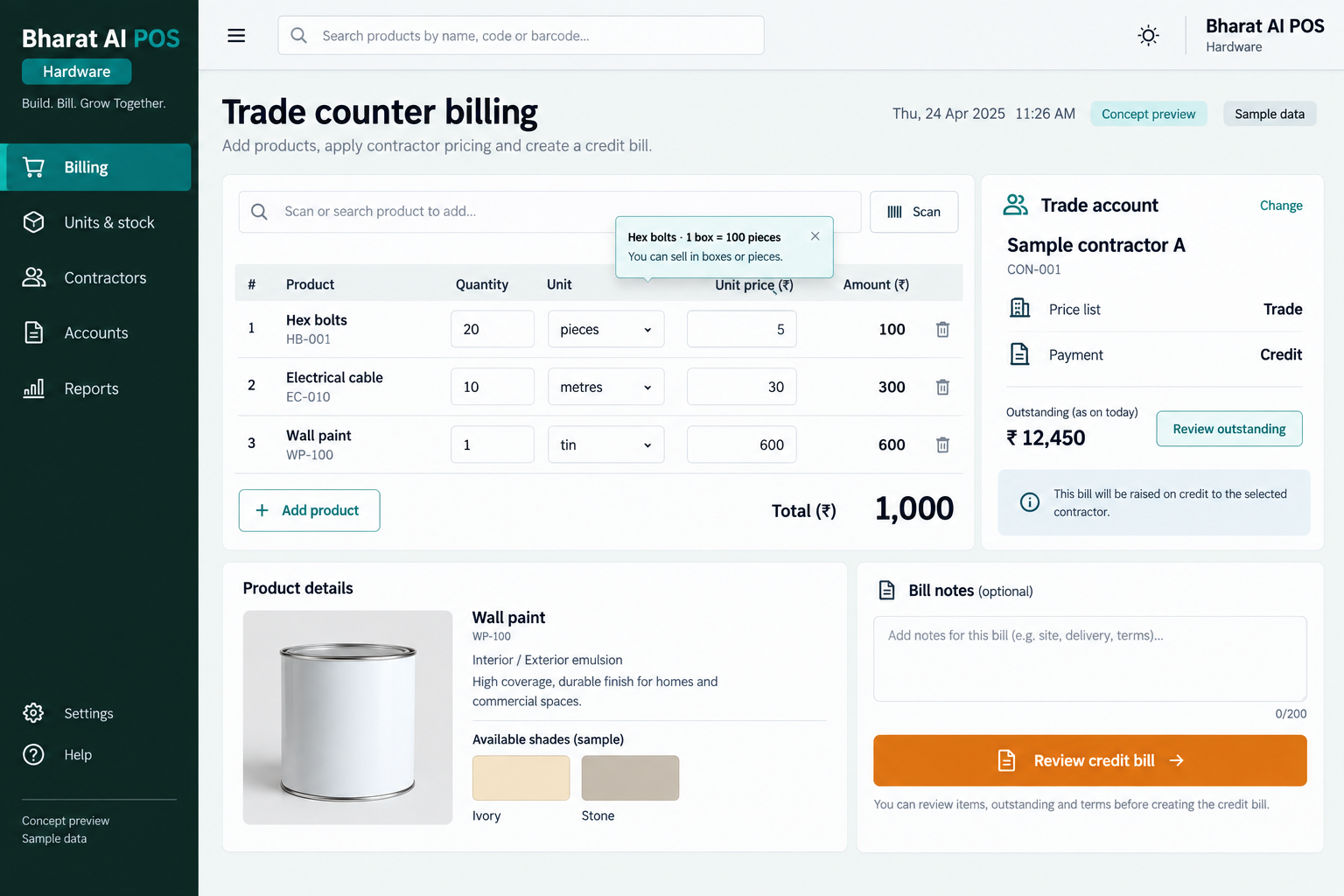
Illustrative interface with sample data. Select the image to explore it at full size.

BUILT FOR YOUR BUSINESS

A better fit for your daily work.

Hardware and tools shops
Paint and building supply retailers
Stores serving contractors and tradespeople
Hardware retailers with multiple outlets

Purchasing and selling units differ

A product may arrive by the box and leave by the piece. Clear unit conversions matter when staff bill customers and review remaining stock.

Contractors have ongoing accounts

Trade customers may buy on credit and return repeatedly. Customer outstanding needs a consistent review so the owner understands the amounts still to be collected.

Fast movers can be overlooked

Small consumables may sell steadily among thousands of product lines. Sales-led reorder suggestions help buyers focus attention where replenishment may be needed.

SOFTWARE CAPABILITIES

Everything your team needs, connected.

01

Multiple selling units

Use conversions for box, piece, kilogram and metre sales. Demonstrate actual conversion factors so staff understand how billed quantities affect the stock record.

02

Contractor price lists

Use contractor price lists in your trade-sales workflow. Review representative customer and product examples to confirm how staff select the appropriate selling price.

03

Credit sales and outstanding

Record credit sales and review customer outstanding. Keep the collection discussion connected to the customer account instead of relying on separate handwritten notes.

04

Barcode and touch billing

Build mixed hardware bills using scanned items and touch selection. Verify the product, selling unit and quantity before recording the transaction.

05

Stock and GST accounts

Connect inventory, GST billing and accounting information. Payment reconciliation supports the owner’s daily review of collections across cash, cards, UPI and credit sales.

06

Owner and branch tools

Use sales analytics, the owner app and multi-branch sync to review the business. Stock, prices and reports remain visible across participating outlets.

HOW IT WORKS

From the first task to a clearer daily picture.

01

Set up units and products

Organise the catalogue and conversion factors for representative items. Check examples such as a box of fasteners sold by the piece before importing opening stock.

02

Identify the customer and price

Find the trade customer and follow the configured contractor price-list workflow. Confirm the intended product and price basis before preparing the order bill.

03

Bill the required quantities

Enter the selling unit and quantity for each item. Review box, piece, weight or length lines carefully so the bill matches what is supplied.

04

Record payment or credit

Complete the bill using the agreed payment arrangement. Review customer outstanding as part of the shop’s regular collection routine for trade accounts.

05

Review purchasing priorities

Compare fast-moving products, stock on hand and reorder suggestions. The buyer decides the next quantities after considering supplier lead times and pending customer requirements.

AI ASSISTANCE

Useful insights. Your team in control.

Use forecasts and alerts to guide your review, with people making the final decisions.

Fast-mover replenishment

AI reorder suggestions draw attention to products with active demand. Use them to support purchasing across the small consumables and larger items in your range.

Sales forecasting

Review demand patterns before planning stock. Combine the forecast with known contractor work and supplier availability when making the final buying decision.

Daily owner summary

Receive a nightly overview of sales and stock points. Tamil and English voice billing and WhatsApp e-bills support the counter and customer relationship.

REPORTS AND VISIBILITY

A clear view of what matters.

Customer outstanding

Review unpaid customer amounts alongside the credit-sales routine. Use the information to prepare an informed collection conversation with trade customers.

Stock across selling units

Review inventory after transactions using different units. Test your conversion examples during the demo so staff trust the quantities shown.

Fast-moving product sales

See which products need regular buying attention. Compare sales activity with available stock before committing to another supplier order.

Daily and branch activity

Use payment reconciliation and synchronised outlet reports to review sales and collections. Check the owner app for information while away from the shop.

EQUIPMENT AND SETUP

Made to work with the right tools.

Bring your existing equipment details. We’ll review compatibility, connectivity and the modules needed for your installation.

YOUR SETUP CHECKLIST
GETTING STARTED

A practical plan for moving forward.

01

Collect unit examples

Bring products bought and sold in different units. Agree conversion factors and how staff select quantities at the counter.

02

Review customer and price data

Prepare contractors, customers and stock for import. Review opening outstanding amounts using a sample from your current records.

03

Practise mixed trade bills

Train staff with box, piece, kilogram and metre examples. Include a contractor price and a credit sale to verify the complete workflow.

04

Agree stock and collection reviews

Assign responsibility for collection follow-up and reorder decisions. Check early transactions against physical quantities before relying on the stock view.

COMMON QUESTIONS

Before you choose your software.

Can we buy by the box and sell by the piece?

Unit conversions for box, piece, kilogram and metre are capabilities. Demonstrate your exact conversion factors and stock examples before the live catalogue is configured.

Contractor price lists are supported. Bring sample customers and products so the team can show how the appropriate price is used in your sales workflow.

Yes. Credit sales and customer outstanding are part of the hardware-store use case. Review your collection routine and any specific statement requirement during the demo.

It provides AI reorder suggestions for review. Your buyer decides the order quantity and supplier after considering available stock, delivery timing and current customer demand.

Existing equipment can be reviewed for compatibility. Share the device models and test a representative bill, including a weighed item where relevant, before finalising setup.

LET’S TALK ABOUT YOUR BUSINESS

See your workflow in action.

Bring your real tasks and questions. We’ll use them to discuss the right configuration, equipment and rollout.

A USEFUL STARTING POINT
KEEP EXPLORING

More ways to support your business.

BHARAT AI POS

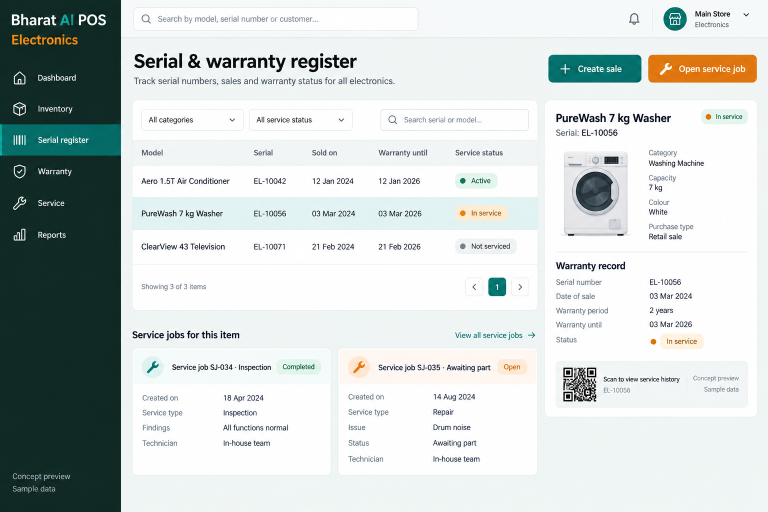
Connect model stock, serial numbers and after-sales service with Bharat AI POS for electronics retailers.

BHARAT AI POS

Run your shop with a connected view of billing, stock and customers.

BHARAT AI POS

Keep packaged groceries, weighed products and everyday essentials in one billing and inventory workflow.