Supermarket Billing and Grocery Inventory Software
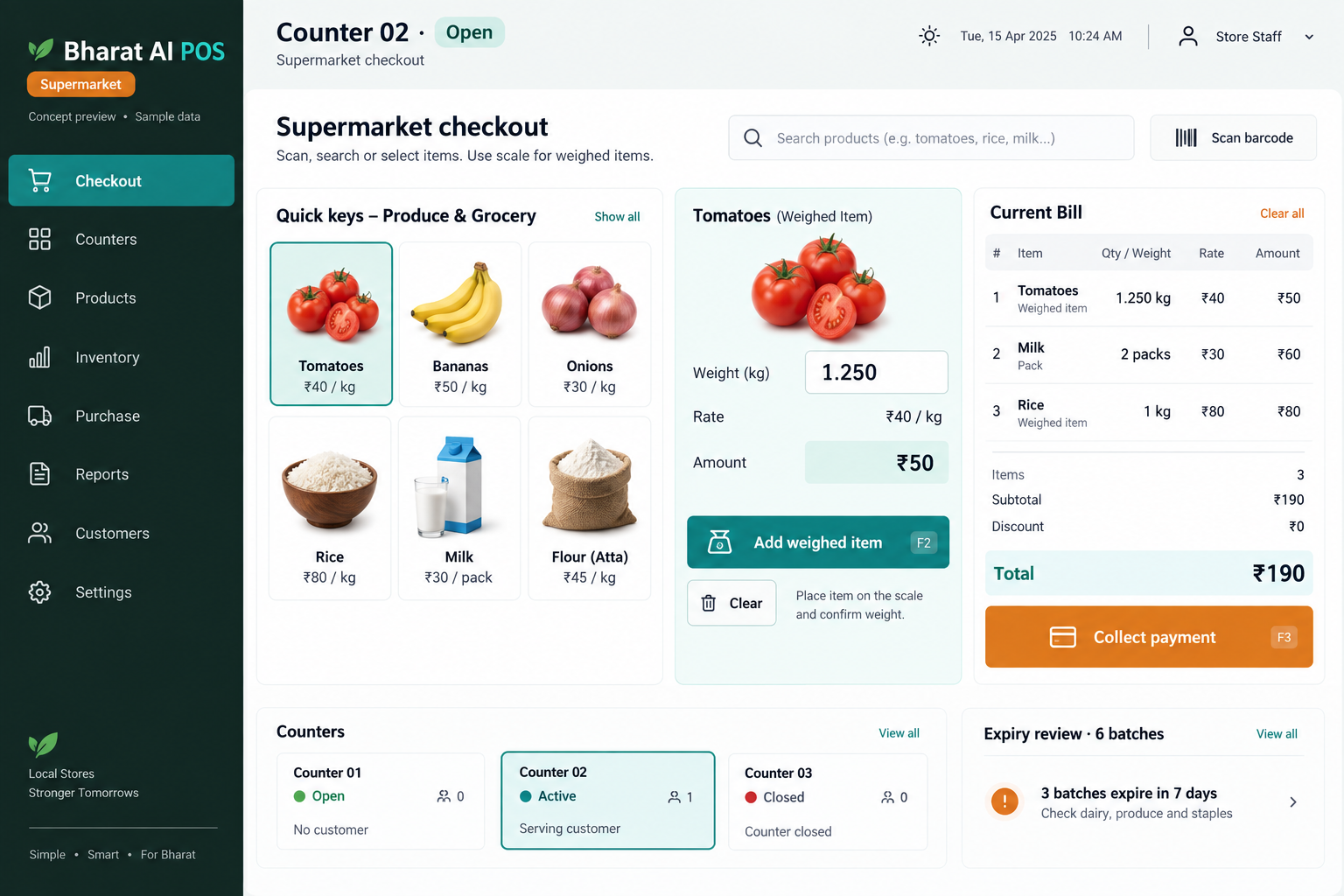
Keep packaged groceries, weighed products and everyday essentials in one billing and inventory workflow. Bharat AI POS supports supermarket counters with barcode billing, weighing-scale support, expiry alerts and AI reorder suggestions, giving owners a practical view of demand across products and branches.
Grocery baskets mix scanned packs, loose goods and repeated items. The counter needs a clear billing method for each product type.
Daily essentials sell at different speeds
Milk, rice and oil sell at different speeds. Review actual demand when planning the quantity of each item to replenish.
Expiry needs timely attention
Stock left too long can become waste. Expiry alerts direct staff towards products needing a physical check and appropriate action.
SOFTWARE CAPABILITIES
Everything your team needs, connected.
01
Barcode checkout
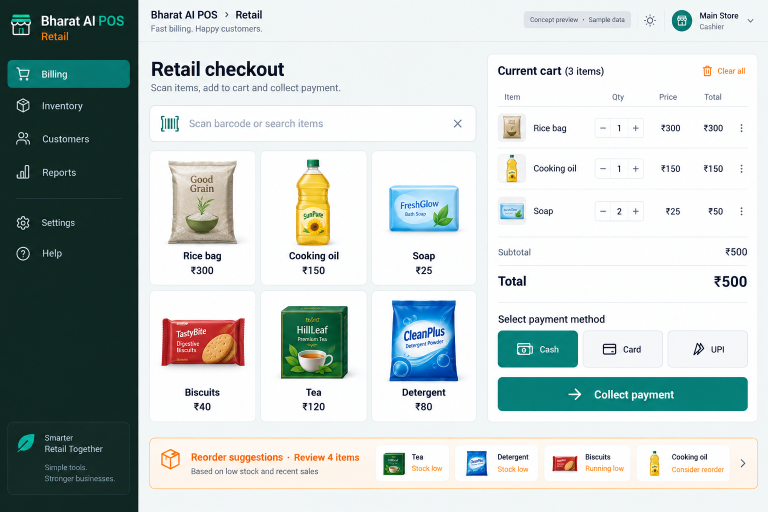
Use barcode and touch billing for mixed grocery baskets. Keep product descriptions and pack sizes clear so cashiers can verify the correct item before completing each sale.
02
Weighed-product billing
Weighing-scale support brings loose goods into the billing process. Test your own scale and representative products during setup to confirm the weight and price workflow at the counter.
03
Stock and expiry visibility
Review available quantities alongside expiry alerts. Staff can use these views to prioritise shelf checks, review receiving practices and keep the stock records aligned with physical goods.
04
GST and payment records
Keep GST billing and payment reconciliation within the daily store routine. Record cash, UPI, cards and credit sales using the payment modes applicable to your business.
05
Loyalty and WhatsApp offers
Support repeat grocery visits with customer records, loyalty points, e-bills and relevant offers. Connect customer communication to the products and shopping patterns your team understands.
06
Branch and owner visibility
Use multi-branch synchronisation to review stock, prices and sales across locations. The owner app keeps sales and AI alerts accessible away from the checkout area.
Review opening availability for milk, bread and other daily essentials. Check expiry alerts and compare the system’s quantities with the products staff find on the shelves.
02
Scan packaged groceries
Build the basket with a barcode scanner or touch selection. Verify pack sizes, repeated quantities and the final list while the customer is still at the counter.
03
Add weighed items
Use the agreed scale workflow for loose products. Check the displayed weight and calculated price before adding the line to the customer’s grocery bill.
04
Complete payment and the e-bill
Record the selected payment mode and issue the receipt. Send a WhatsApp e-bill and apply the store’s configured loyalty process for customers who use it.
05
Plan the next replenishment
Review sales forecasts and reorder suggestions against supplier delivery days and available shelf space. Give staff a practical list of products to check before the next order.
AI ASSISTANCE
Useful insights. Your team in control.
Use forecasts and alerts to guide your review, with people making the final decisions.
↗
Reorder everyday essentials
Use sales history to suggest replenishment for milk, rice and oil. Review local demand and supplier schedules before purchasing.
↗
Forecast grocery demand
Forecast grocery demand for busy and quieter periods. The owner considers unusual events, promotions and changes in opening hours.
↗
A clearer daily summary
Review nightly sales and stock insights. Voice billing in Tamil and English supports cashiers, while WhatsApp smart offers support customer communication.
REPORTS AND VISIBILITY
A clear view of what matters.
↗
Grocery sales patterns
Review product sales patterns and discuss buying priorities with the person responsible for replenishment.
↗
Stock and shelf attention
Combine inventory information and expiry alerts with staff shelf checks. Identify products needing review before placing further orders for the same item.
↗
Counter closing totals
Use sales information and payment reconciliation to review the day’s collections. Agree the counter closing process during staff training.
↗
Outlet comparison
See synchronised stock, price and sales information across supermarket branches. Use it to discuss availability and assortment differences with each store manager.
EQUIPMENT AND SETUP
Made to work with the right tools.
Bring your existing equipment details. We’ll review compatibility, connectivity and the modules needed for your installation.
YOUR SETUP CHECKLIST
Barcode scanner for packaged grocery items
Compatible weighing scale for loose goods
Touch POS with thermal receipt printer
Label printer for store-labelled products
GETTING STARTED
A practical plan for moving forward.
01
Map the product mix
Share packaged items, loose goods and date-sensitive products. Identify what staff need to know when receiving, shelving and billing them.
02
Clean the opening catalogue
Import products and opening stock. Check duplicate barcodes, pack descriptions and selling units before staff use the catalogue.
03
Rehearse a full basket
Test scanning, weighing, payment and printing with staff. Include different pack sizes and repeated items in a realistic shopping basket.
04
Establish the review routine
Agree who reviews expiry, checks physical stock and approves replenishment. Use sales analytics and the owner summary in daily discussions.
Can packaged and loose products appear on one bill?
The supermarket workflow includes barcode billing and weighing-scale support. Demonstrate a mixed basket with your actual loose goods and scale so staff can confirm the counter process.
Does the software help us manage expiry?
Expiry alerts are part of the supermarket capabilities. They help staff focus stock checks; accurate product data and physical shelf inspection remain part of the store’s operating routine.
How do reorder suggestions work for daily essentials?
The AI uses sales history to suggest stock replenishment. The owner reviews the suggestion alongside delivery schedules, shelf capacity and expected demand before deciding the purchase quantity.
Can we use the software across several branches?
Yes. Multi-branch sync brings stock, prices and reports together. Share your outlet and counter numbers so the configuration matches your operations.
Can customers receive grocery offers on WhatsApp?
WhatsApp offers, e-bills and loyalty are supported. Review customer details and the communication workflow during setup so your team understands the process.
LET’S TALK ABOUT YOUR BUSINESS
See your workflow in action.
Bring your real tasks and questions. We’ll use them to discuss the right configuration, equipment and rollout.